
Using the app
parent side and helper side.
Only features that exist in the code are listed. One install holds both sides; a person switches between them in Settings.
01Two sides in one app
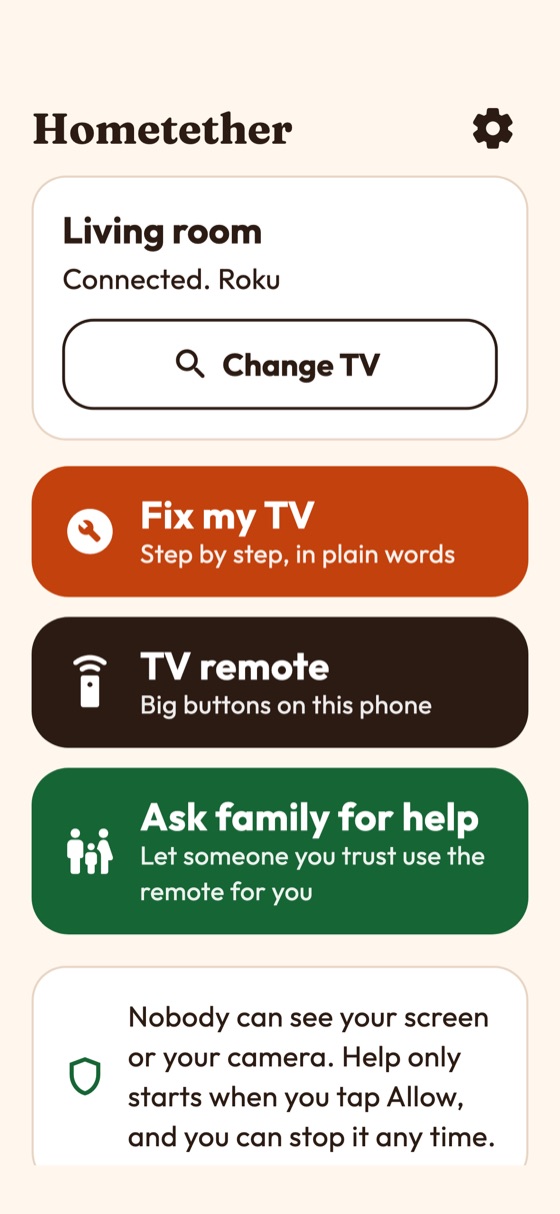
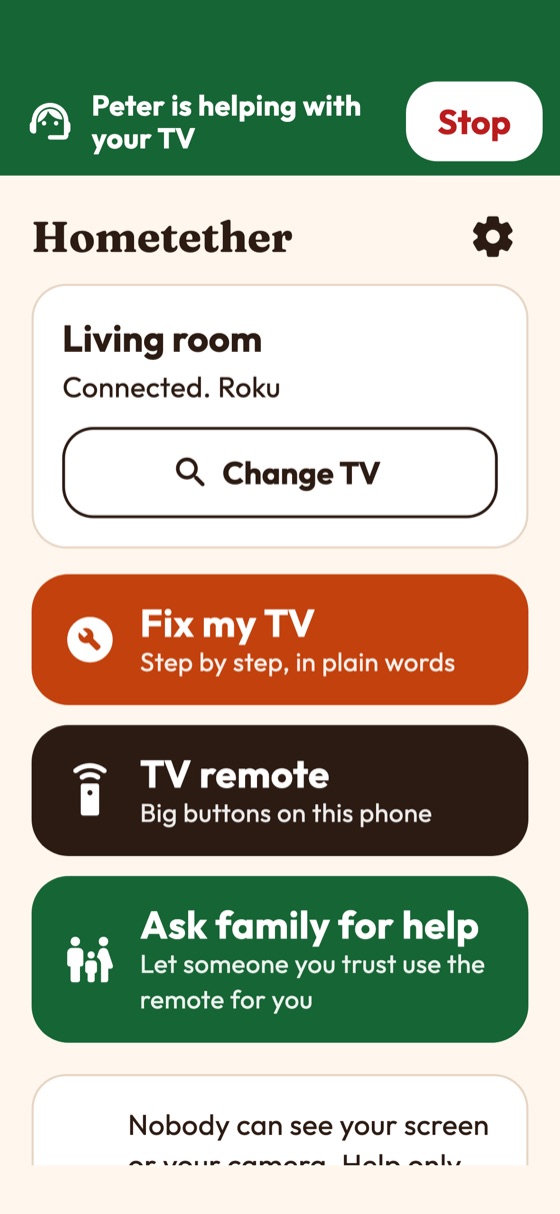
- Parent side ("This is my TV"): large type, warm colours, three big buttons. The phone is on the same Wi-Fi as the TV and is the bridge.
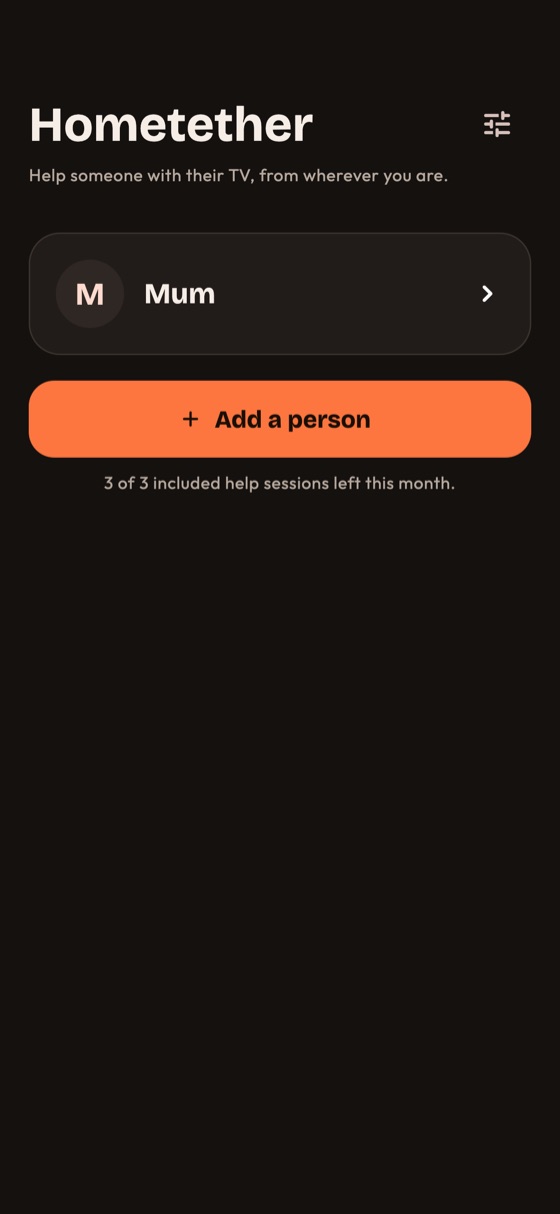
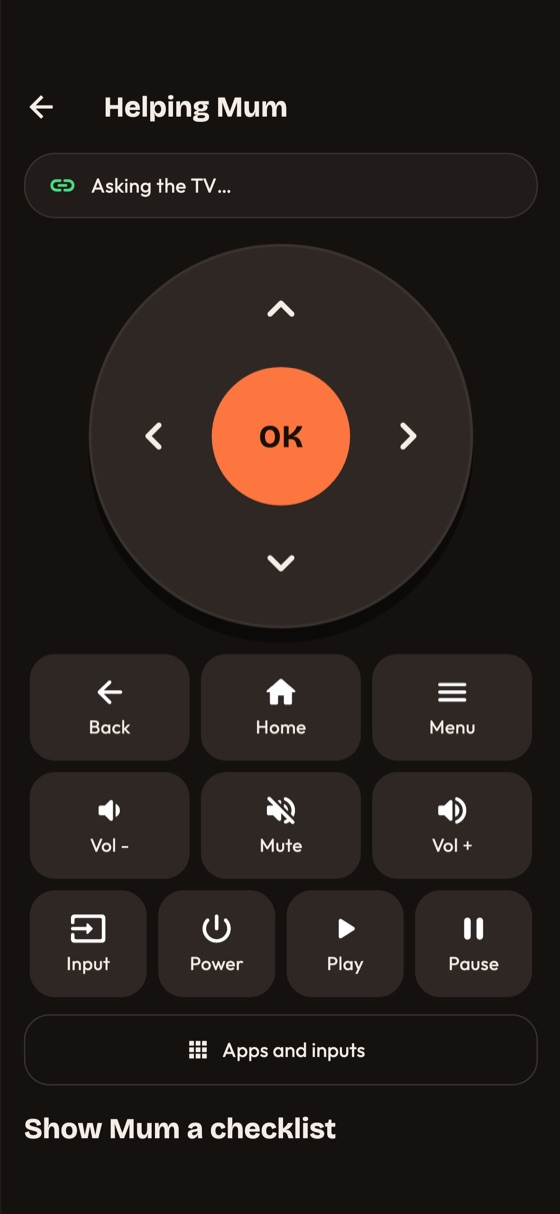
- Helper side ("I help someone else"): a dark remote. The helper's phone can be anywhere.
The first-run screen explains: no screen sharing, no camera, help only starts when the person with the TV taps Allow, and they can stop it any time. In Settings the person enters a first name and can switch sides.
02Parent side
- Find my TV. The app searches the Wi-Fi, or the person types the TV's address. See TV support. Samsung and LG TVs ask on the TV screen to allow the phone the first time.
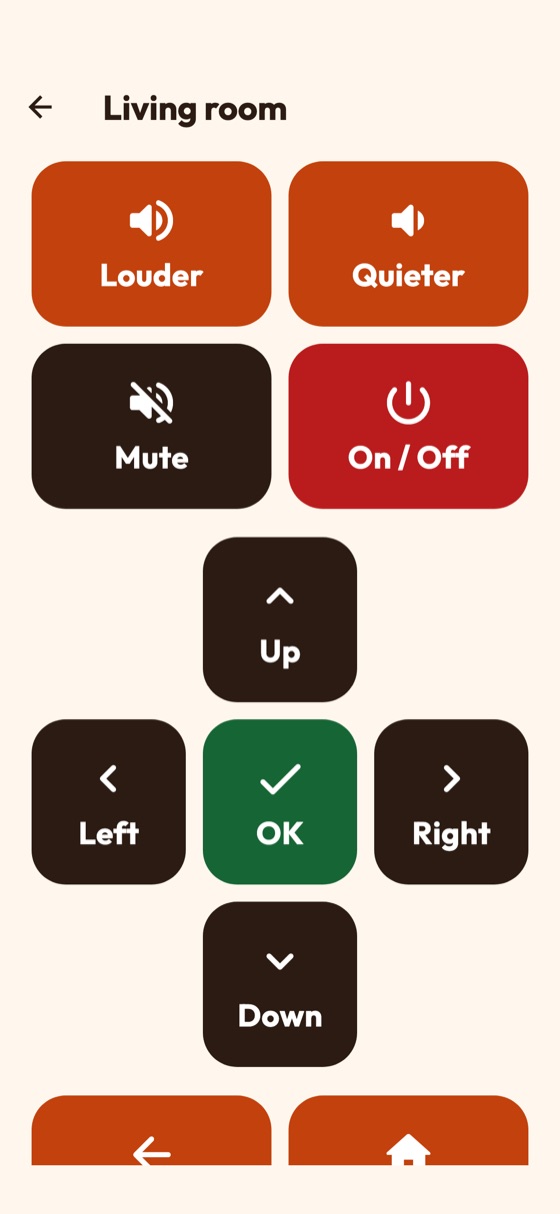
- TV remote. Big buttons on the phone. This works without any server.
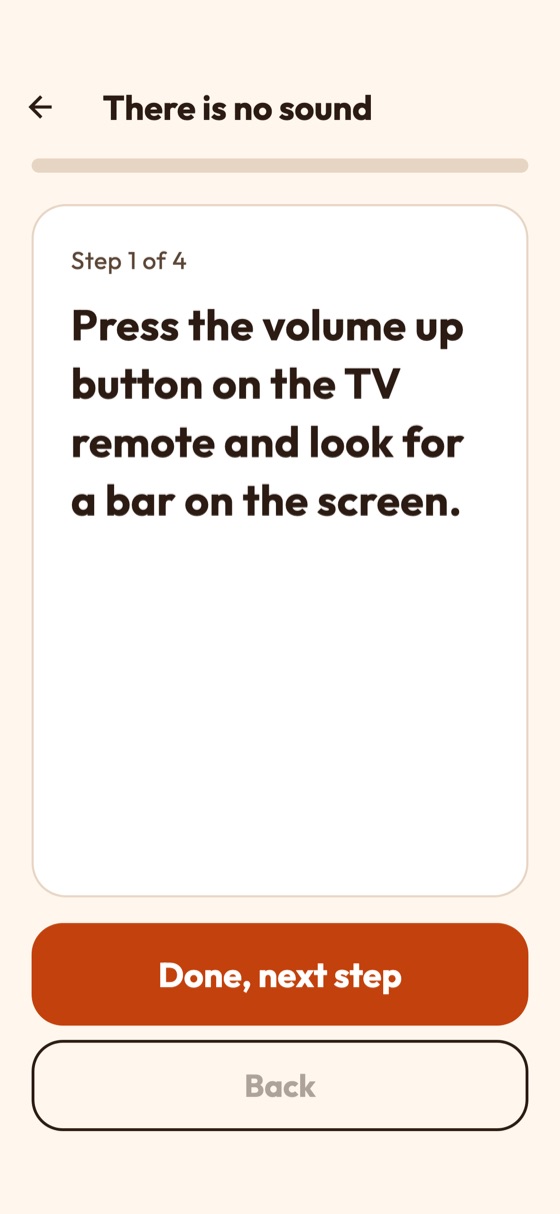
- Fix my TV. Step-by-step checklists in plain words: no sound, the screen says no signal, the TV lost its Wi-Fi. They are built into the app and can be edited from the console.
- Ask family for help. Shows an 8-character code and a QR code for a helper to use, and lists helpers, who can be removed at any time.
03Helper side
- Add a person. Enter your first name and the parent's code, or scan their QR code. The camera is used only for this and nothing is recorded.
- Help now. The helper taps "Help <name> now". If the parent's phone has the app closed, the screen says so and asks the parent to open it.
- Wait for Allow. The helper sees "Waiting for <name> to tap Allow help". It waits up to a minute.
- Use the remote. D-pad, keys, apps and inputs (where the TV brand supports them), typing, and "Show <name> a checklist" to push a guided fix to the parent's screen. "End the session" stops it.
Each helper has a number of included sessions a month before the paywall appears (Store products).
04The consent rule in the app
When a helper asks, the parent's screen shows a full-screen question with big Allow and Not now buttons. Until the parent taps Allow nothing reaches the TV. During the session a banner shows who is helping, with a Stop button the parent can tap at any time; the banner cannot be dismissed. The parent's phone also refuses any command outside an open session, even if the server sent one. Details: Relay.
05Settings
First name, switch side, "Which TVs work", the Plus offer (when the paywall is on), "Forget this TV", the switch "Share anonymous usage counts" (off by default; sends a random id, platform, version and Plus or not, once a day, never a command or a name), and the support, privacy and terms links when you set them.
06What the app does not do
- No screen sharing, no camera stream, no accounts.
- No push notification to wake the parent's phone; its app must be open.
- No Wake-on-LAN, no Android TV or Google TV control, no web helper.