Source code licence
$29Regular licence
Extended licence $145.
- Flutter app source for Android and iOS
- Node relay server source with Dockerfile
- Operator console (MIKODES Admin Kit)
- Documentation: install, relay, TV support, store products, release
Hometether · Flutter app · Node relay · operator console
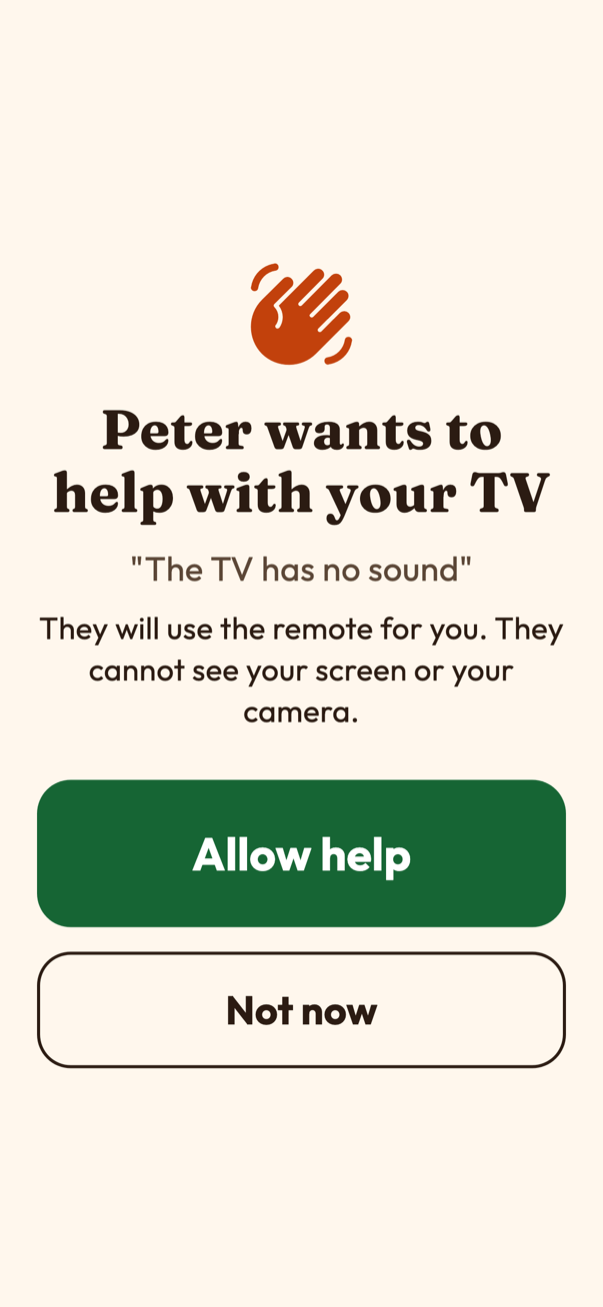
Hometether lets a grown-up child send the remote and step-by-step fixes to a parent's TV through your own relay server. The parent's phone is the bridge and shows a big Allow help button first; a banner stays up for the whole session and one tap stops it. No screen sharing, no camera. You sell the unlock through the app stores and run it from a console.
Remote family help with consent, not a universal remote. Supported TV protocols are written from public documentation and checked against simulated TVs only. Screens show sample data.
What you get
The parent's phone bridges to the TV, the relay carries the helper's commands, the console runs the business side.
Flutter · Android + iOS
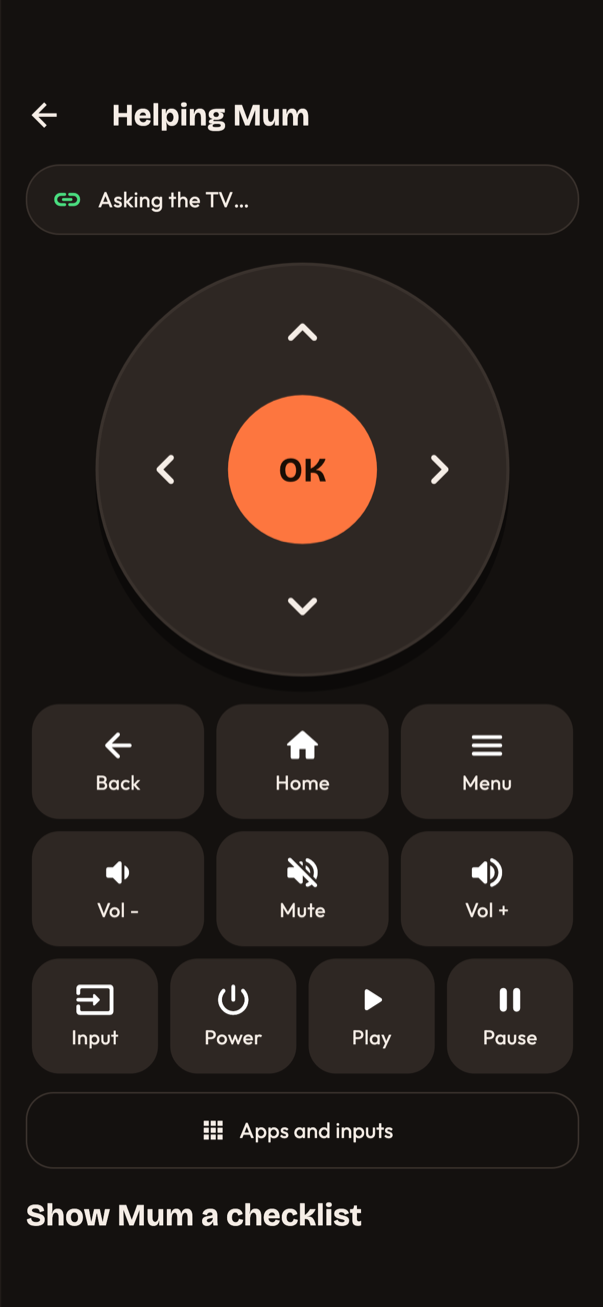
Parent side with large type and a big-button remote, helper side with a dark remote, guided fixes, pairing by code or QR and a paywall.
Node 26 · SQLite · WebSocket
Pairing, consent gate, session tokens and limits. It never talks to a TV and stores no command content.
MIKODES Admin Kit
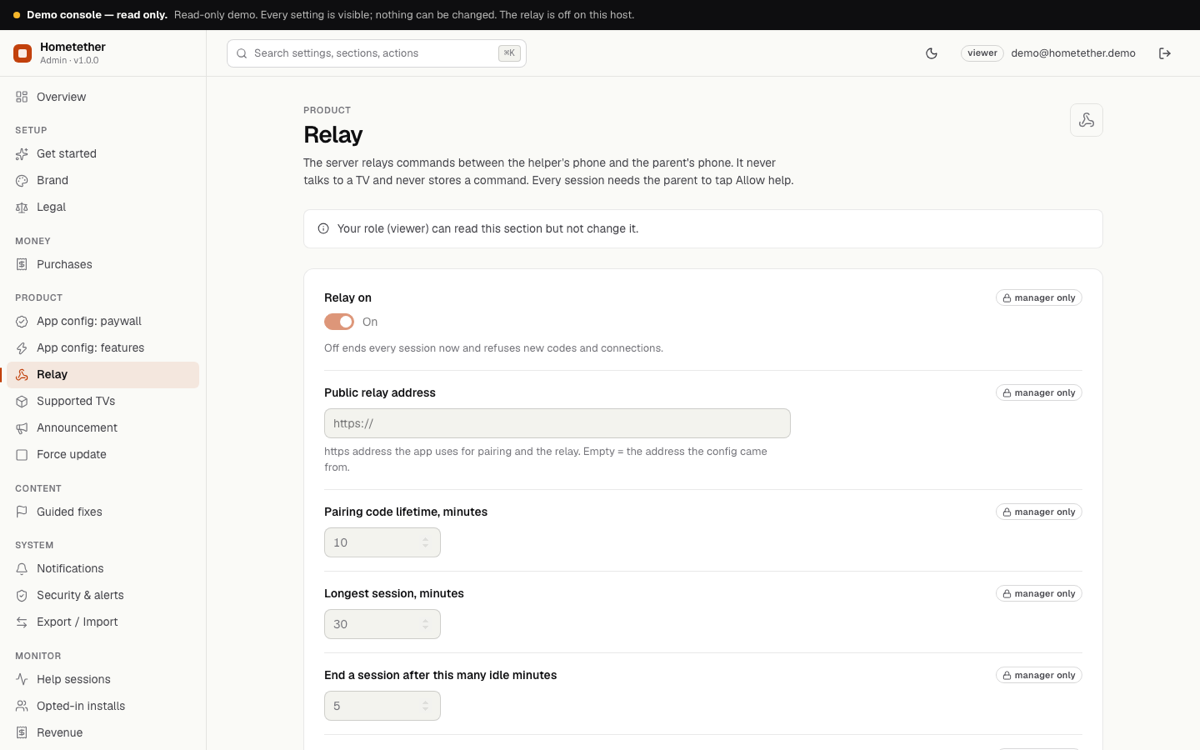
Brand, paywall, relay limits, supported TV text, guided fixes, announcement, force update, revenue, team and audit log.
On the home Wi-Fi
Finds TVs by SSDP and mDNS or a typed address and talks to Roku, Samsung Tizen and LG webOS on private addresses only.
Honest by design
TLS with server-minted session tokens. Not end-to-end encrypted, and the docs say so.
How you earn
Two mechanisms in the code, both switched in the console. No earnings are claimed here; your price, your audience.
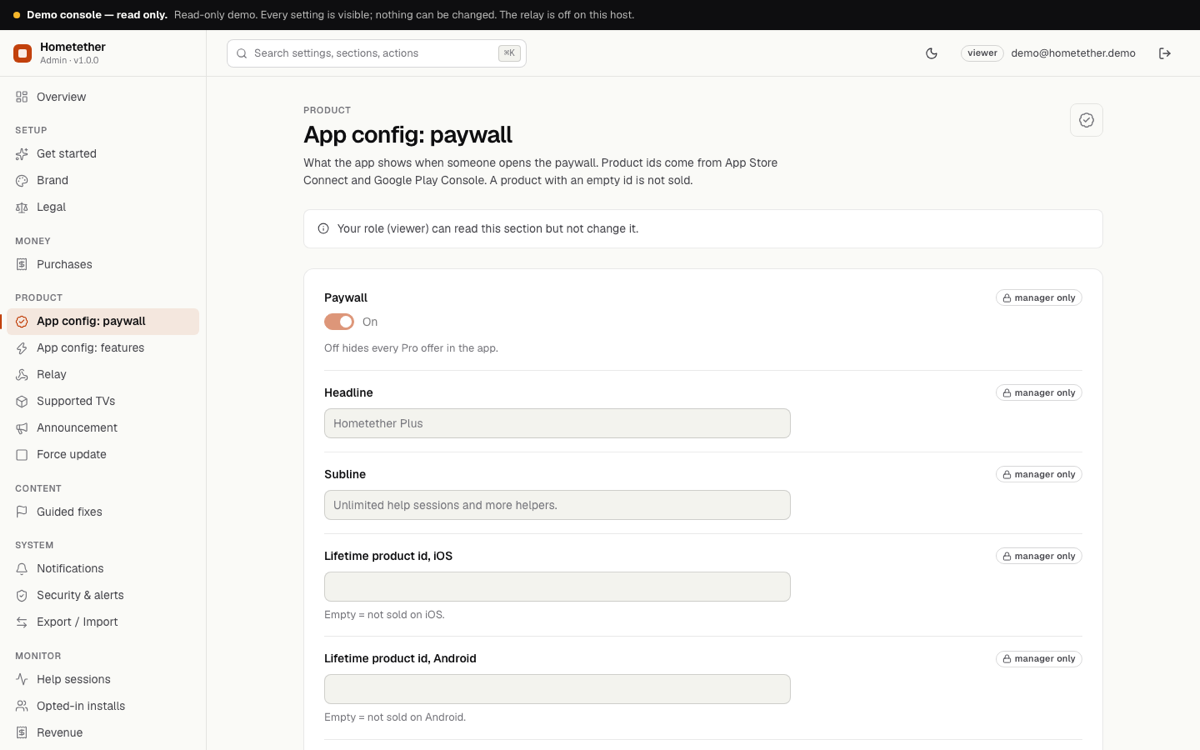
An in-app purchase paywall with lifetime, yearly and restore. Without Plus a helper gets a number of included sessions per month (a setting, 3 by default). No product ids ship, so Plus stays locked until you add yours.
Console → Product → App config: paywallOptional verification of Apple signed transactions and Google Play purchases on your server, off by default; confirmed purchases show under Revenue.
Console → Money → PurchasesScreens
App screens from a Flutter widget render with example shops, console screens from the demo host. Sample data is labelled.
Features
Each feature points to a file in the source.
A helper can only ask. The parent's phone shows a full-screen Allow help question, a banner for the whole session and a one-tap Stop. The server enforces it too.
8 characters, single use, expiring. The parent can remove a helper any time.
Session length, idle, rate and size limits, per-family limits and a master switch.
SSDP and mDNS discovery or a typed address; private LAN only.
A big warm remote for the parent, a dark remote with keys and app launch for the helper.
No sound, wrong input, Wi-Fi lost: the helper pushes a checklist to the parent's screen; texts editable in the console.
App name, accent, fonts, links and default store ids live in brand.dart; the console changes name, accent and links remotely.
Operator console
The MIKODES Admin Kit: roles, two-factor sign-in and an audit log, with every setting the app reads.
Pricing
One-time licence for the full source. Installation and customization are done by the team that built it.
Source code licence
$29Regular licence
Extended licence $145.
Installation & customization
Quote
Server, console, your brand and store-ready builds, or any feature you need. Tell us and we quote it.
You bring
Documentation
Requirements, installation, the relay, honest TV support, the console, store products and release.
FAQ
No. It is remote family help with consent: a helper asks, the parent allows, guided fixes and a remote follow. The parent also gets a big-button remote for their own phone.
Roku, Samsung (Tizen) and LG (webOS) TVs are supported by protocols written from public documentation and checked against simulated TVs. Nothing was run on a real TV yet, so expect to adjust details on yours. Android TV and Google TV are not supported yet.
No. Traffic uses TLS (wss) and session tokens minted by the server. The relay stores no command content but sees commands in transit.
Yes. There is no push notification to wake it, so the parent opens the app (or keeps it open) to receive a request.
No. No store product ids ship, so the paywall says it is not set up until you add yours.
Yes, but finding TVs by multicast needs Apple's Multicast Networking entitlement that you request from Apple. Typing the TV address always works.
Contact
Installation and customization: on Telegram or by e-mail, in English.
hey@mikodes.comFor quotes, installation and custom work.
Other MIKODES products